For rental companies
Invoicing & payments
For rental companies that issue invoices from contracts and record payments in the same workspace.
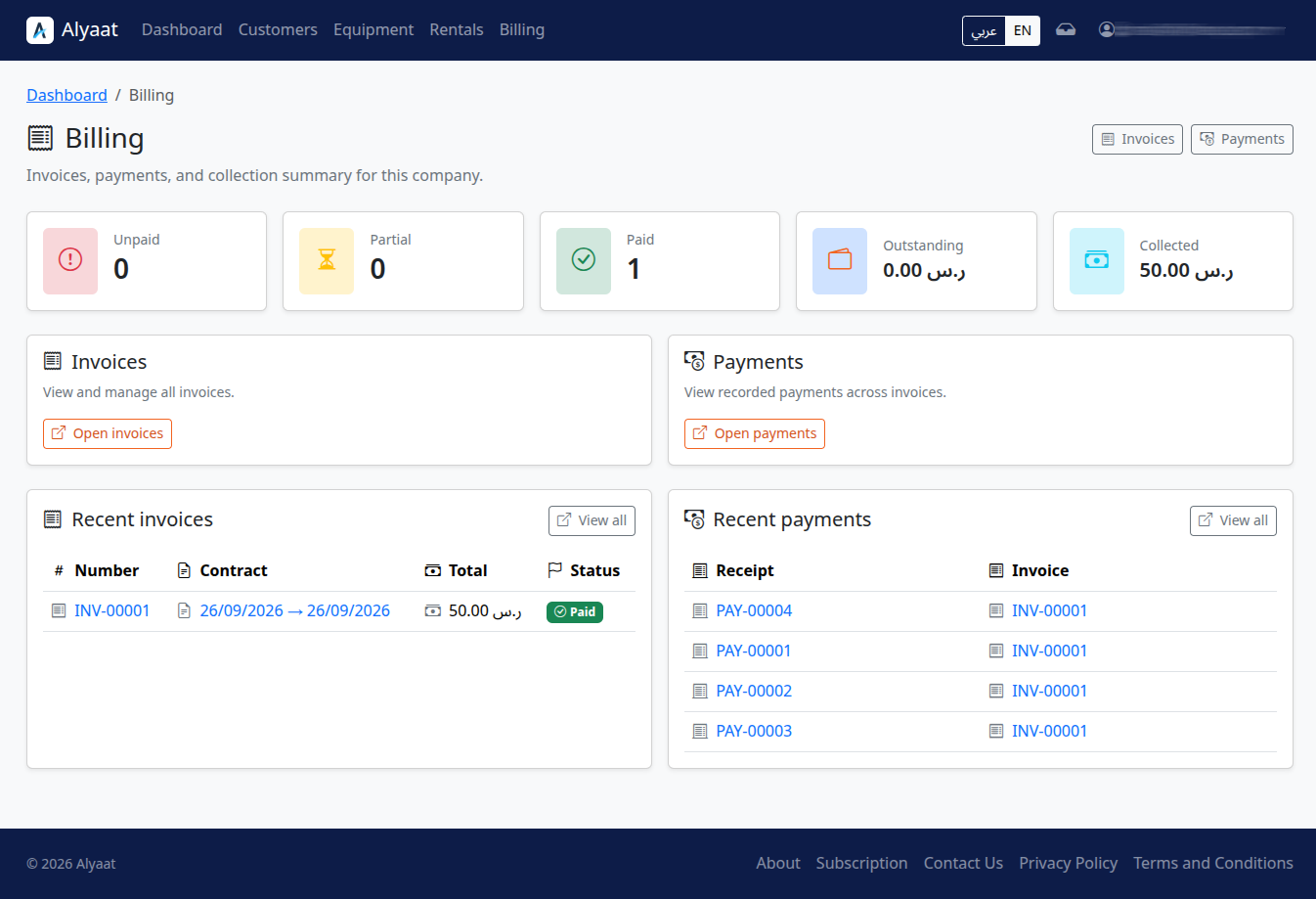
What invoicing and payments cover in Alyaat
Alyaat billing lets a company issue one invoice per contract, record manual payments, track unpaid, partial, or paid status, and print the invoice and receipt.
How to get started
-
Open a rental contractUse a confirmed or active contract as the source for billing.
-
Issue the invoiceCreate one invoice linked to that contract from the workspace.
-
Record paymentsEnter cash, transfer, card, or other payments as they are received.
-
Print invoice or receiptPrint the invoice and receipt when staff need a paper or PDF copy.
What you can do
Invoice from a contract
Create an invoice linked to a rental contract so charges stay tied to the rental record.
Manual payment recording
Record cash, bank transfer, card, or other payments against an invoice. Online payment providers are not included.
Unpaid, partial, and paid status
See collection status clearly as unpaid, partial, or paid as payments are recorded.
Print invoice and receipt
Print the invoice and payment receipt from the workspace when staff need a paper or PDF copy.
Related company modules
These modules work together in one company workspace.
FAQ
Common questions
Ready to get started?
Register your company to manage this module in your workspace, or review the plan and trial first.