For rental companies
Smart availability calendar
For rental companies that need to know which units are free before confirming, extending, or accepting a rental.
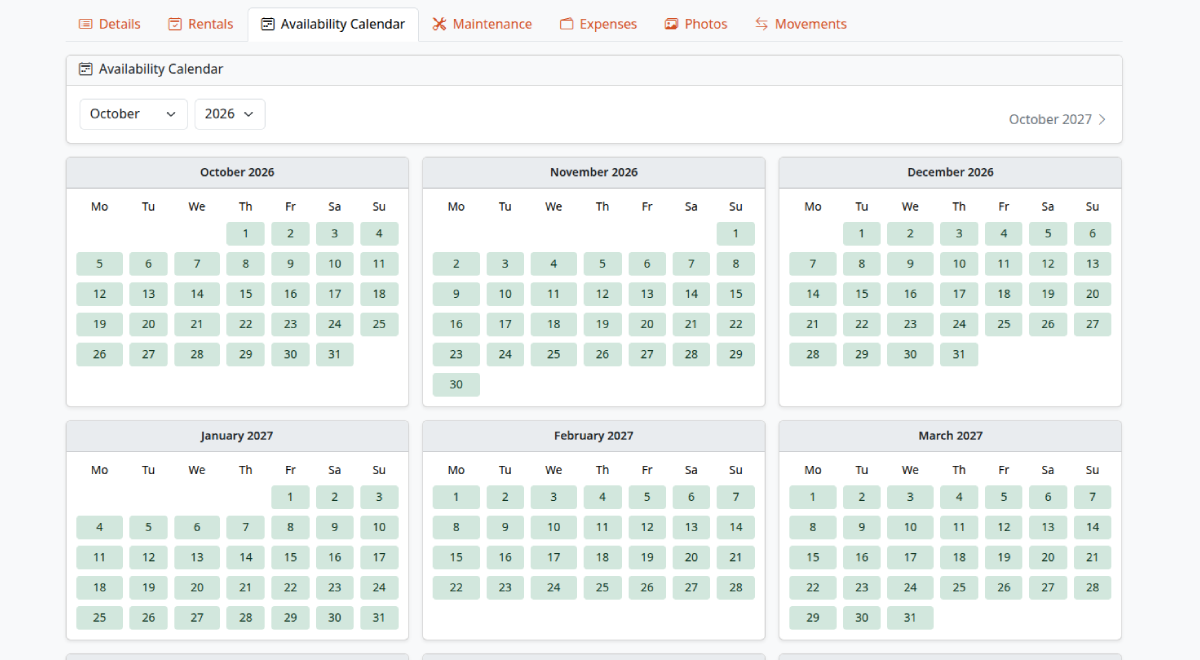
What the availability calendar covers in Alyaat
Alyaat builds availability from real contracts and maintenance: each unit has a nine-month calendar that marks free, booked, and pending days, and a fleet view lists which units are free for any date range.
How to get started
-
Add your equipment unitsCreate equipment types and units in the company workspace.
-
Record contracts and maintenanceRental contracts and maintenance windows fill the calendar automatically.
-
Check a unit or the fleetOpen a unit's availability tab, or check the whole fleet for a date range.
-
Confirm with confidenceConfirm, extend, or accept requests knowing conflicting dates are rejected.
What you can do
Nine-month unit calendar
Open any unit to see nine months of availability at once, and jump to any month or year.
Booked, pending, and free at a glance
Green days are free, red days are booked, and yellow days are held by draft contracts. Split cells show check-in and check-out days.
Maintenance and overlap protection
Maintenance windows block the calendar, and overlap checks reject bookings that conflict with confirmed, active, or on-hold rentals.
Fleet availability by date range
Pick a start and end date to list every unit, whether it is free, and the contracts or maintenance that overlap.
Related company modules
These modules work together in one company workspace.
FAQ
Common questions
Ready to get started?
Register your company to manage this module in your workspace, or review the plan and trial first.