For rental companies
Equipment, assets & maintenance
For rental companies that need one workspace to track units, upkeep, costs, and published listings.
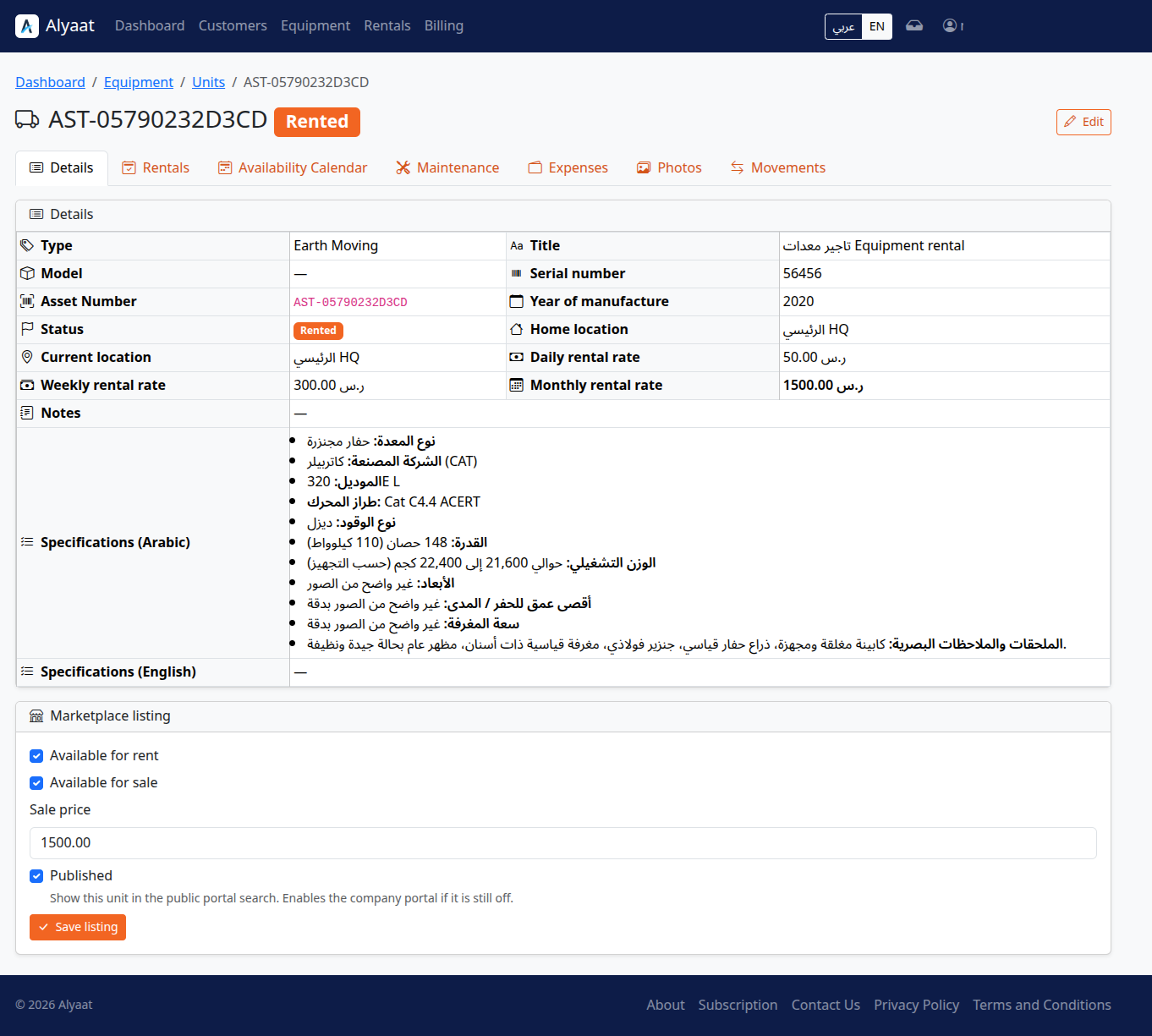
What equipment management covers in Alyaat
Alyaat equipment tools let a rental company manage equipment types and units, assign system-wide asset numbers, record maintenance and expenses, keep movement history, add photos, and publish marketplace listings.
How to get started
-
Register your companyCreate a company account and open the tenant workspace.
-
Add equipment types and unitsDefine types, create units, and assign system-wide asset numbers.
-
Record maintenance and photosLog maintenance windows, expenses, and photos so availability stays accurate.
-
Publish marketplace listingsWhen ready, publish eligible units to the public customer portal.
What you can do
Types, units, and asset numbers
Organize equipment types and units, and track each unit with a system-wide asset number.
Maintenance that blocks conflicts
Record maintenance windows so overlapping bookings are rejected while a unit is unavailable.
Movement history
Keep an append-only movement history for rental, return, maintenance, relocation, and sale events.
Photos, expenses, and listings
Attach photos, record unit expenses, and publish units to the public marketplace when the company chooses.
Related company modules
These modules work together in one company workspace.
FAQ
Common questions
Ready to get started?
Register your company to manage this module in your workspace, or review the plan and trial first.